
|

Guide Cheatsheet All Formats & Shortcuts |
This is a Section Title (Guide template).
A section title for the guide (as the one preceding the line you are reading) is made as follows:
[stig]This is a Section Title (Guide template).[/stig]
This is a subsection title
dummy paragraph
[sstig]This is a subsection title[/sstig]
This is a subsection title
xyz without shortcode
Using Paragraphs.
This illustrates paragraphs. Each paragraph is a connection of words with no spacer lines in-between sentences. Even if white space lines are added, they will be ignored. To start a new paragraph with subsequent text in a new line, have to define a new paragraph.
Here is an example:
   [p]This is a paragraph.[/p]
   [p]This is a separate paragraph.[/p]
… which will render as follows:
This is a paragraph.
This is a separate paragraph.
Here’s how to add FIXME comments
This is a regular paragraph with some contents. At the end of it is a fixme comment, as follows: FIXME: remember to fix XYZ . Using the fixme concept helps mark areas that need later fixing, i.e., to keep track of problems in a very visible way.
[p]This is a regular paragraph with some contents. At the end of it is a fixme comment, as follows: [fixme] remember to fix XYZ [/fixme] [/p]
Using 'Centered Images'
Centered images are currently supported for 1, 2, or 3 images, sitting horizontally next to each other and in isolation from other design elements or text. Here is the case with a single image:
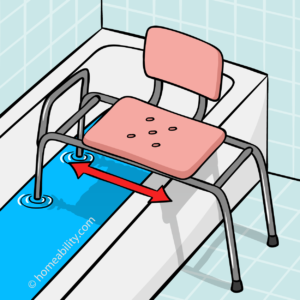
Its source code is very simple:
[cimg id="122"]
Note that ‘centered images’ do not currently provide a link to an associated page accessible by clicking on the image. This might be something we could consider adding later, as needed.
NOTE: The best way to look up the image ID is to use the Chrome browser for this work, with that go to WordPress’ Media library, find the desired image, and hover the mouse pointer over the desired image. The image ID will be shown as part of the link Chrome displays at the bottom left. Not ideal, but the best solution currently known. Maybe we can make this easier going forward.
Here is the case with two images, where again the overall object (two images) is horizontally centered, as one would hope:
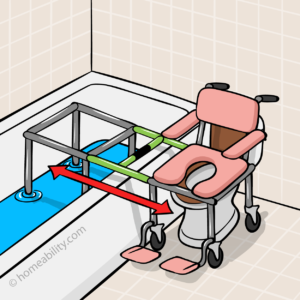
Again, the source code is super simple. Here, note that there are two image IDs, one for each image:
[cimg id="122,134"]
And here is the case with three images. Again, everything is centered, and there is no text wrapping around stuff, so it’s an images-only design element.

And of course, the source code uses three image IDs, as one might expect:
[cimg id="122,134,133"]
How to make Simple Tables
Here is an example of a generic “guide stylized” Table format:
| Age Group | Toilet Height per ADA |
|---|---|
| Adults | 17-19 inches |
| Child Age 3 & 4 | 11-12 inches |
| Child Age 5-8 | 12-15 inches |
| Child Age 9-15 | 15-18 inches |
Source Code as usual (tr = table row, th = table header, tc = table cell):
[tbl]
[tr]
   [th]HEADER_1[/th]
   [th]HEADER_2[/th]
[/tr]
[tr]
   [tc]..contents..[/tc]
   [tc]..contents..[/tc]
[/tr]
[/tbl]
Simple Lists
Simple lists are used to list items. Items can be very simple (single words) or more complicated (whole sentences). Either way, there will be some item indicator such as a bullet or a number, and the content will show up after that.
The itemization symbol (number, letter, bullet etc.), called list “style” can be specified as an argument to the short code, as illustrated in what follows.
A decimal list is as the one following here:
- Cool first item.
- Even better second item.
- The third one is pretty long. A little bit of latin lepsum correlatum vaticanum ergo tan temis shows that the text wraps around nicely and stays fully indented relative to the number.
is accomplished with the following short codes
[list  style="decimal"]
   [li]Cool first item.[/li]
   [li]Even better second item.[/li]
   [li]The third one is pretty long. A little bit of latin lepsum correlatum vaticanum ergo tan temis shows that the text wraps around nicely and stays fully indented relative to the number.[/li]
[/list]
Here are examples with other list styles, starting with lower-case alphabetic symbols:
- Cool first item with Lower Alpha.
- Even better second item.
- Third item.
which can be achieved with the following code:
[list  style="lower-alpha"]
   [li]Cool first item with Lower Alpha.[/li]
   [li]Even better second item.[/li]
   [li]Third item.[/li]
[/list]
Upper-case letters in a list are indicated as follows:
- Cool first item with Upper Alpha.
- Even better second item.
- Third.
accomplished with:
[list  style="upper-alpha"]
   [li]Cool first item with Upper Alpha.[/li]
   [li]Even better second item.[/li]
   [li]Third.[/li]
[/list]
The following example uses regular round bullets :
- Cool first item.
- Even better second item.
accomplished with:
[list  style="bullets"]
   [li]Cool first item.[/li]
   [li]Even better second item.[/li]
[/list]
The following example uses triangle bullets :
- Cool first item.
- Even better second item.
accomplished with:
[list  style="bullets-triangle"]
   [li]Cool first item.[/li]
   [li]Even better second item.[/li]
[/list]
The following example uses circle bullets :
- Cool first item.
- Even better second item.
accomplished with:
[list  style="bullets-circle"]
   [li]Cool first item.[/li]
   [li]Even better second item.[/li]
[/list]
The following shows the last list style currently available and uses square bullets:
- Cool first item.
- Even better second item.
accomplished with:
[list  style="bullets-square"]
   [li]Cool first item.[/li]
   [li]Even better second item.[/li]
[/list]
Simple Lists – condensed and/or text-flow aligned
The following example illustrates how parameter “dense” can be used to create a denser list (reduced line spacing):
- getting safely on and off the toilet,
- increasing comfort while seated on the toilet,
- personal hygiene (wiping) after using the toilet.
This works for any of the “Simple List” examples in the previous chapter and is particularly helpful if each list item is short as in only a few words at most – as opposed to a full paragraph. The source code is:
[list  style="bullets"  dense="enabled"]
   [li]getting safely on and off the toilet,[/li]
   [li]increasing comfort while seated on the toilet,[/li]
   [li]personal hygiene (wiping) after using the toilet.[/li]
[/list]
Sometimes it is preferable to align the bullets with the surrounding text (e.g., paragraphs) on the left, instead of using indentation. This can be accomplished with the textflow parameter, as follows in conjunction with the dense (dense line-spacing) parameter also being enabled FIXME: could absorb dense and textflow into the style parameter, as comma or space separated list FIXME: the bullets do not seem vertically aligned relative to the text:
- getting safely on and off the toilet,
- increasing comfort while seated on the toilet,
- personal hygiene (wiping) after using the toilet.
[list  style="bullets"  textflow="enabled" dense="enabled"]
   [li]getting safely on and off the toilet,[/li]
   [li]increasing comfort while seated on the toilet,[/li]
   [li]personal hygiene (wiping) after using the toilet.[/li]
[/list]
Feature List
Can list a bunch of stuff such as features and specifications:
➜First One — This is just a great feature.
➜Second One — A variety of different equipment can be added to, or around, your existing toilet to make it more accessible, safer, and easier to use. Here is an overview of these equipment options with a brief introduction to each. For details, you may follow the “read more” links or click on the images for each type of equipment.
➜Third One — A variety of different equipment can be added to, or around, your existing toilet to make it more accessible, safer, and easier to use. Here is an overview of these equipment options with a brief introduction to each. For details, you may follow the “read more” links or click on the images for each type of equipment.
And here’s the code:
   [feat title="Somethin'"] blah blah blah [/feat]
   [feat title="Somethin' else"] oh my oh my oh my [/feat]
Topics Table FIXME: Need to add
Here is a Topics List
This one is cool for lists composed of a series of topics and corresponding descriptions. By default, using decimal numbers:
- This is the first topic
- It has a description associated with it.
- Second Topic is here
- Same thing basically.
- This Topic is longer
- The description can be pretty long. It can wrap around over multiple lines, like any length really when you think about it. That’s what you’ll do if that’s what you want to do, not a problem.
- This one has bulleted items inside of it
- First bulleted item.
- Second bulleted item.
- This one has bulleted items inside of it, too
- But the very first item not bulleted, but the next two are. For instance, there could be an introduction followed by some additional info that’s best represented as a bulleted sub-list.
- First bulleted item.
- Second bulleted item.
- Third bulleted item.
Can achieve this type of list with the following shortcodes.
[tlist]
   [tlto]This is the first topic[/tlto]
      [tli]It has a description associated with it.[/tli]
   [tlto]Second Topic is here[/tlto]
      [tli]Same thing basically.[/tli]
   [tlto]This Topic is longer[/tlto]
      [tli]The description can be pretty long. It can wrap around over multiple lines, like any length really when you think about it. That's what you'll do if that's what you want to do, not a problem.[/tli]
   [tlto]This one has bulleted items inside of it[/tlto]
      [tli  style="bullet"]First bulleted item.[/tli]
      [tli  style="bullet"]Second bulleted item.[/tli]
   [tlto]This one has bulleted items inside of it, too[/tlto]
      [tli]But the very first item not bulleted, but the next two are. For instance, there could be an introduction followed by some additional info that's best represented as a bulleted sub-list.[/tli]
      [tli  style="bullet"]First bulleted item.[/tli]
      [tli  style="bullet"]Second bulleted item.[/tli]
      [tli  style="bullet"]Third bulleted item.[/tli]
[/tlist]
Can also use different styles of numbering, as shown here:
- This is the first topic
- It has a description associated with it.
- Second Topic is here
- Same thing basically.
[tlist style="lower-alpha"]
   [tlto]This is the first topic[/tlto]
      [tli]It has a description associated with it.[/tli]
   [tlto]Second Topic is here[/tlto]
      [tli]Same thing basically.[/tli]
[/tlist]
The next list uses upper-case letters (“upper-alpha”):
- This is the first topic
- It has a description associated with it.
- Second Topic is here
- Same thing basically.
[tlist  style="upper-alpha"]
  ...
[/tlist]
Next lower-roman
- This is the first topic
- It has a description associated with it.
- Second Topic is here
- Same thing basically.
[tlist  style="lower-roman"]
   ...
[/tlist]
Next upper-roman
- This is the first topic
- It has a description associated with it.
- Second Topic is here
- Same thing basically.
[tlist  style="upper-roman"]
   ...
[/tlist]
Can optionally turn the shade behind the number off (works with any of the list types). This also moves the text a little closer to the numbers:
- This is the first topic
- It has a description associated with it.
- Second Topic is here
- Same thing basically.
[tlist  style="shade-off"]
   ...
[/tlist]